
How a Streamer’s Platform Migration Affects Existing Subscribers, Replays, and Paid Content
 0
0
 0
0
When a streamer moves to another platform, the channel does not move as one complete package. The old subscription, replay library, badges, emotes, and members-only posts remain connected to the service where they were created. Following the streamer on a new platform normally requires a new account relationship and, for paid benefits, a separate purchase.
The main risks are paying for two subscriptions at once, assuming old replays will remain available, and expecting subscriber history or paid perks to transfer automatically. These problems are easier to avoid when the old platform and the new platform are treated as separate services.
The Old Subscription Does Not Stop Because the Streamer Leaves
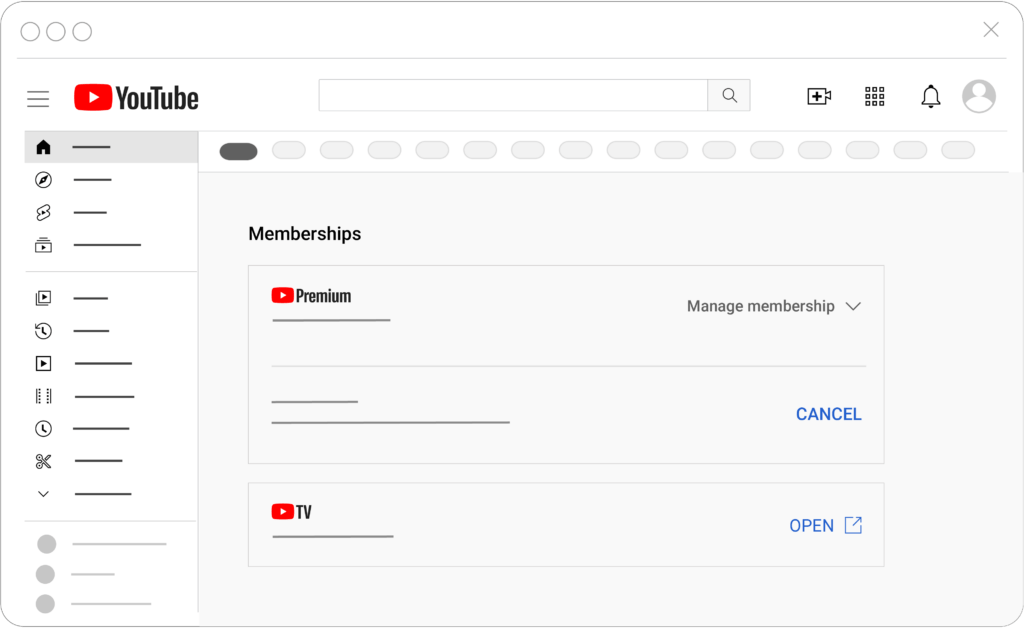
A streamer ending broadcasts on a platform does not normally cancel every viewer’s recurring payment. The subscription continues according to the platform’s billing rules until the viewer cancels it, the membership program ends, or the platform takes another stated action.
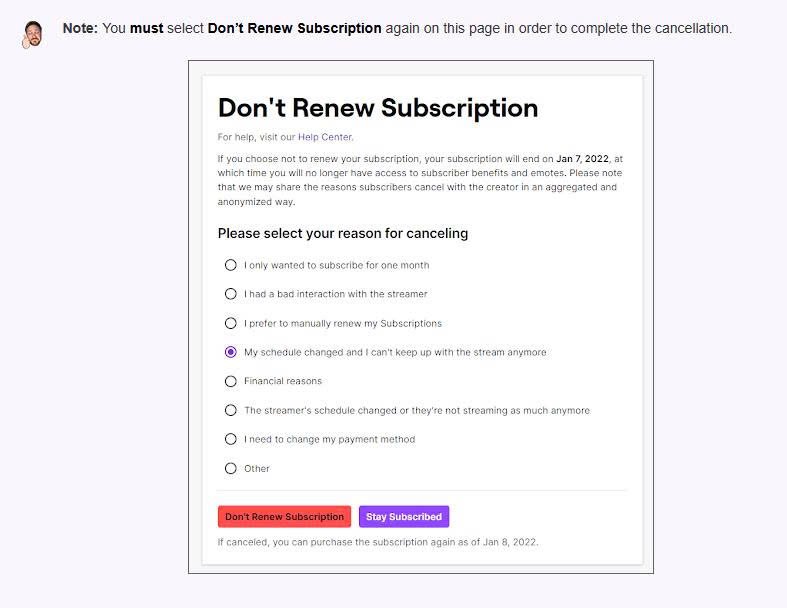
Twitch describes paid subscriptions as recurring charges that continue to renew unless cancelled. YouTube also charges active channel memberships at the beginning of each monthly billing cycle. On YouTube, cancelling stops future charges while the badge and other membership perks generally remain available until the current billing period ends.
This means the safest action is to open the old platform’s subscription-management page as soon as the move is confirmed. Record the next billing date, the current tier, the payment method, and the date on which benefits are expected to end. Turning off renewal early is usually better than waiting until the last day, because a forgotten renewal can create an unnecessary overlap with the new membership.
Do not assume that cancelling always produces an immediate refund. YouTube does not normally refund the unused portion of a billing period when a member cancels voluntarily. It also notes that memberships purchased through Apple may need to be handled through Apple for refund requests. If a channel terminates its entire YouTube membership program, however, recurring payments and access can end immediately, and affected members receive information about requesting a refund.
The payment route therefore matters. A subscription purchased on the web may be managed differently from one purchased through an app store or another billing partner. The streamer can announce the move, but billing disputes should be handled through the platform or company that processed the payment.
Replays Remain on Their Original Platform Until Someone Moves Them
A migration does not automatically copy the old replay library to the new channel. Each VOD remains subject to the storage, visibility, and deletion rules of the platform on which it was created.
Twitch requires past-broadcast storage to be enabled, and retention can depend on the channel’s account status and current platform rules. A replay that exists on the day of the migration should not be assumed to remain available indefinitely.
YouTube can automatically archive livestreams shorter than 12 hours, while streams exceeding 12 hours may not be captured at all. After a livestream ends, the creator can change the archive to private or delete it. A deleted YouTube video is permanently removed and no longer appears in YouTube search.
CHZZK uses another system. Its current help information states that unpublished replays are retained for two days and then deleted. Published replays follow retention periods linked to the channel’s grade, while Partner-channel replays can currently be stored permanently.
The viewer should therefore record the title, original broadcast date, old channel URL, and any official announcement about moving the archive. Then look in this order: the old channel’s replay section, the creator’s linked VOD or secondary channel, the new channel, and the official channel of any event organizer or broadcaster involved.
A clip or edited highlight is not the same as a full replay. The new channel may receive selected series, important events, or condensed videos while ordinary broadcasts remain only on the old service. The creator may also remove licensed music, private conversations, advertisements, or other restricted sections before reuploading a stream.
When the new service does not preserve every full broadcast, consider whether real-time participation or convenient viewing matters more to you. Choosing Between Live Participation and Edited Recaps for Long Creator Broadcasts explains how live chat, audience interaction, complete context, viewing time, and omitted sections can affect that decision. This comparison can also help determine whether paying for live access on the new platform offers enough value when edited summaries will later be available for free.
Use only an official download, offline, or save feature when the platform and rights holder provide one. A disappearing replay does not grant permission to download or redistribute an unofficial copy.
Badges, Emotes, Paid Posts, and Subscriber History Usually Stay Behind
Membership benefits are built inside each platform’s own system. A Twitch badge does not become a YouTube badge, and a YouTube membership emote does not automatically unlock on CHZZK or another service. Even when the streamer recreates the same artwork, it becomes a benefit of the new membership rather than a continuation of the old entitlement.
Members-only posts, chat privileges, private community spaces, archived streams, and downloadable extras may also depend on an active membership on the original service. Before cancelling, open the old benefits page and determine which material remains available after the paid period ends. Save official notices and transaction records, but do not assume that paid media can be copied or redistributed.
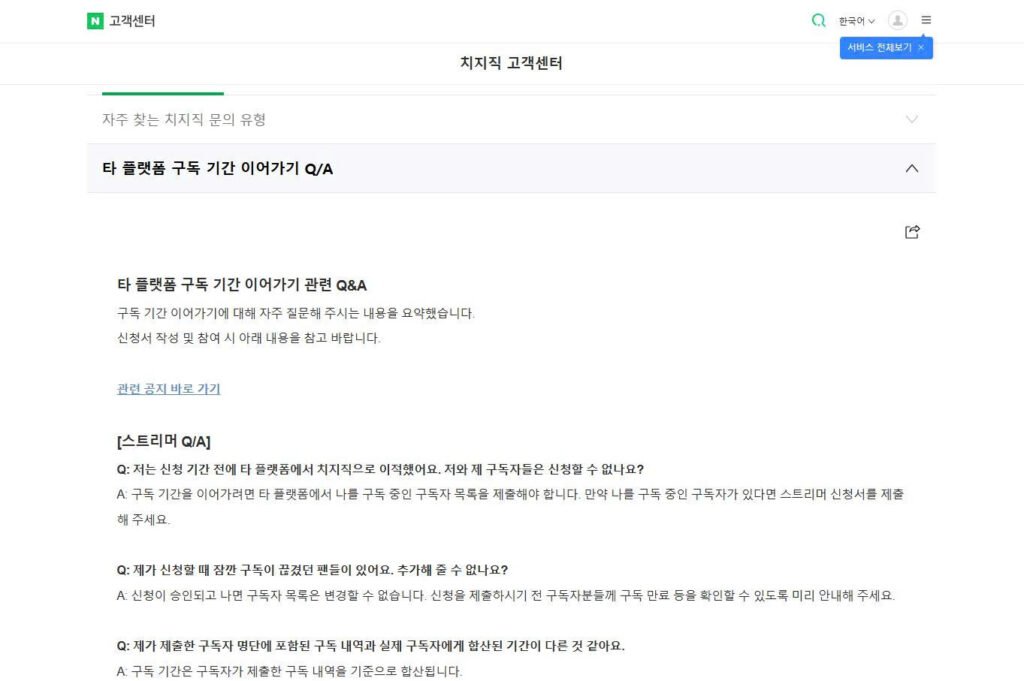
Subscriber tenure requires separate attention. Most platform moves do not carry the accumulated number of subscribed months. CHZZK currently documents an application-based exception for transferring subscription tenure from another platform. The streamer must apply and receive approval before subscribers can participate. Subscribers must also provide qualifying subscription records, and the process can combine eligible months according to CHZZK’s internal rules.
This program transfers recognized subscription duration, not the old subscription itself. It does not move the previous payment, reproduce old-platform emotes, or automatically grant the new platform’s paid benefits. It should also be treated as a program with application conditions and deadlines, not as a permanent rule applying to every migration.
Separately purchased merchandise, event tickets, files, or other digital products may follow their own seller and account terms. Their status should be verified through the original receipt and merchant rather than assumed from the streamer’s platform move.
A Simple Migration Timeline Prevents Duplicate Charges and Lost Access
The new membership should be evaluated as a new product. Its price, billing date, cancellation route, replay access, members-only content, emotes, device support, and refund terms may differ even when the streamer promises a similar experience.
| Stage | What to do | Why it matters |
|---|---|---|
| Before the final stream on the old platform | Record the next renewal date, turn off renewal if appropriate, and save official migration and replay notices | Prevents another old-platform charge and preserves evidence of what was announced |
| During the move | Confirm the official new channel, account name, first broadcast date, and any tenure-transfer application | Avoids impersonation accounts and missed application deadlines |
| Before joining the new membership | Read the exact tier description, price, renewal rules, archive access, and cancellation method | The new plan may not reproduce the old benefits |
| After subscribing | Confirm the correct account was charged and that the promised badge, emotes, posts, or replays appear | Billing and entitlement problems are easier to resolve immediately |
| After the old paid period ends | Review bank and app-store statements and test which old content remains accessible | Confirms that renewal stopped and reveals any archive restrictions |
Do not subscribe through a link in a reposted message unless it leads to the verified channel or official platform page. A migration period often creates fake accounts, copied announcements, and confusing links.
The most reliable rule is simple:
Cancel the old renewal through the original billing provider, but use the remaining paid period if the platform allows it. Treat the new membership as a separate purchase. Assume that replays and perks remain on the old service unless the creator or platform explicitly confirms a transfer.


